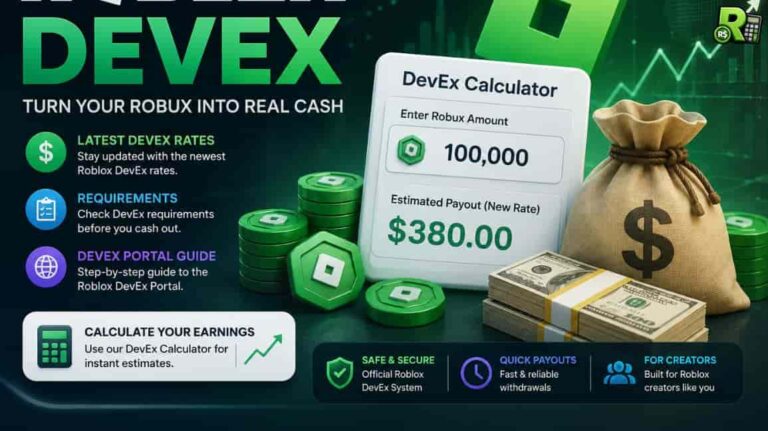
The Roblox Developer Exchange (DevEx) program allows creators to convert their earned Robux into real currency. This guide provides a comprehensive overview of how DevEx functions, covering essential topics like eligibility criteria, the process for submitting cash-out requests through the DevEx Portal, and current exchange rates.
It also includes helpful tips, common mistakes to avoid, and a comparative analysis. To estimate your potential earnings, you can use our DevEx Calculator to convert any amount of Robux into USD.
What is Roblox DevEx?
The Roblox Developer Exchange, or DevEx, is a program that allows eligible creators to convert the Robux they’ve earned into real money. This means that successful developers who create popular games or virtual items on Roblox Studio can monetize their creations by cashing out their Robux for US dollars.
Only Robux earned through legitimate content (sales of game access, avatar items, Creator Rewards, ad revenue, etc.) count toward DevEx. Robux from purchases (gift cards, Premium memberships, trading, etc.) do not qualify. In short, DevEx is meant for top creators: it requires a high earned-Robux balance and full compliance with Roblox’s rules.
DevEx Eligibility & Requirements
To use DevEx, you must meet all of Roblox’s eligibility requirements. The key rules are:
- Age: You must be 13 years or older. If you’re under 18, a parent or guardian must manage the payments and tax forms.
- Earned Robux: You need at least 30,000 earned Robux in your account. This is Robux you have gained from your own creations, not from purchases or trades.
- Verified Email: Your Roblox account must have a verified email address.
- DevEx Portal Account: You will need a valid DevEx portal account through Tipalti. Roblox will email you an invitation to create one after you submit your first approved Dev-Ex request.
- Tax Forms: You must have a completed IRS tax form on file with Roblox. This is typically a W-9 for U.S. creators and a W-8 for international creators.
- Good Standing: Your account must be in good standing, following all Roblox Terms of Use and Community Standards. Any major violations, fraudulent activity, or attempts to trade Robux outside of DevEx will result in disqualification.
These requirements are strict and must hold at cash-out time. For example, if you fall below 30,000 earned Robux or fail to submit your tax form, your DevEx request will be declined. Always double-check that all criteria are met before applying.
How to Use the DevEx Portal & Cash Out?
Once you’ve met all the requirements, a “Cash Out” button will appear on your Creator Dashboard. Click this button and enter the amount of Robux you wish to convert to USD.
Roblox will review your request. First-time requests take longer. If approved, you will receive an email from [email protected] inviting you to create a DevEx Portal account on Tipalti. Follow the link to set up your profile.
You have seven days to enter your payout method (e.g., PayPal, bank account) and submit the required tax form in Tipalti. If you miss this deadline or leave any information incomplete, your request will be canceled, and the Robux will be returned to your account.
Tipalti supports multiple payment options: PayPal, bank transfer (ACH/Wire), check, and more, depending on your country. Note that each method has its own transaction fees and processing time. For example, PayPal payments usually clear in 2–3 business days, while ACH/Wire transfers can take 3–5 days. Also keep in mind that Roblox will send you a 1099-NEC for U.S. income over $600, so plan for taxes. You can also use our handy Robux Tax Calculator to estimate your earnings after taxes.
Once your payout method is set up, Roblox will process your payment. First-time payout reviews typically take about 10 business days, while subsequent requests are usually processed within 5 business days. Keep in mind that you can only cash out once per calendar month, so it’s often better to wait until you’ve accumulated a larger balance.
DevEx Exchange Rates and Example Payouts
Roblox sets the DevEx exchange rate, which has recently changed. The new standard rate is $0.0038 per Robux for earnings after September 5, 2025.
This means 30,000 Robux is about $114. The old rate of $0.0035 per Robux (30,000 Robux ≈ $105) applies to Robux earned before that date.
Additionally, a special US 18+ rate of $0.0054 per Robux will be effective June 8, 2026, for eligible US games. The table below shows conversions for each rate.
| Robux | Old Rate ($0.0035) | New Rate ($0.0038) | US 18+ ($0.0054) |
|---|---|---|---|
| 30,000 | $105.00 | $114.00 | $162.00 |
| 100,000 | $350.00 | $380.00 | $540.00 |
| 500,000 | $1,750.00 | $1,900.00 | $2,700.00 |
| 1,000,000 | $3,500.00 | $3,800.00 | $5,400.00 |
The table and timeline illustrate the current DevEx rates. Actual cash-outs may be slightly less after any tipalti or currency conversion fees. For quick calculations, try our DevEx Calculator, which instantly converts any Robux amount to USD using these rates.
Tips to Ensure a Smooth DevEx Process
To avoid delays or rejections with your DevEx request, it’s best to prepare carefully. Here are some key tips to follow:
- Use Your Legal Name: Make sure your full legal name is used on both your DevEx request and your Tipalti profile. Using a nickname or having a name mismatch will cause your request to be rejected.
- Complete Portal Setup Promptly: Once you receive your invitation, complete the Tipalti registration right away. You have a seven-day window to enter your payment information and upload your tax form. Missing this deadline will void your request, and the Robux will be returned to your account.
- Verify All Your Information: Double-check that your Roblox account email is verified and that your account is active. Confirm that all tax identification numbers and financial details are accurate before submitting.
- Only Cash Out Earned Robux: You can only exchange Robux that you have genuinely “earned” through your creations. Robux that were purchased, gifted, or acquired from non-compliant activities are not eligible. If your payout is less than you expected, it’s likely because some of your Robux were deemed ineligible.
- Account for Taxes and Fees: Remember that your final payout may be lower than the official exchange rate. Roblox issues IRS Form 1099-NEC for U.S.-based creators, and additional fees may be applied by payment processors or for currency conversion.
- Plan Your Payouts: You are limited to one completed DevEx request per calendar month. Plan your cash-outs accordingly. For example, if you have 60,000 Robux, it’s better to cash out 30,000 this month and 30,000 next month, rather than making two smaller requests in the same month.
FAQs
What is Roblox DevEx?
Roblox Developer Exchange (DevEx) is the official program that lets eligible creators convert their earned Robux into real USD.
How many Robux do I need for DevEx?
You need at least 30,000 earned Robux in your account to submit a DevEx request. These must be Robux earned by you (from game sales, etc.), not Robux you purchased or received as a Premium grant.
Which Robux are eligible for DevEx?
Only Robux earned through selling your content count. This includes sales of avatar items or game passes, Creator Rewards, in-game purchases, ad revenue, and affiliate fees. Robux from gift-card purchases, Premium membership grants, trades, or moderated content do not count.
What are the current DevEx exchange rates?
Roblox offers two main DevEx rates:
- New Rate: $0.0038 per Robux for Robux earned on or after September 5, 2025.
- Old Rate: $0.0035 per Robux for Robux earned before that date.
There is also a higher rate of $0.0054 per Robux for certain in-game spending by eligible US players. Based on the new rate, 30,000 Robux would be approximately $114.
How long does a DevEx payout take?
After you submit a request, Roblox reviews it (up to ~10 business days for first-timers, ~5 days for returning creators). If approved, you have 7 days to finish the Tipalti portal setup, and then payment processing takes another few days (e.g. 2–5 business days depending on method). In total, expect 2–3 weeks from request to funds in hand. Remember: only one cash-out can succeed per calendar month.
Conclusion
Roblox DevEx offers a way for top creators to earn real money, but the requirements are strict. You’ll need to meet age and Robux balance criteria, have a verified account, and complete all payment and tax forms.
With the current rate at $0.0038 per Robux, use tools like our DevEx Calculator to plan your cash-out. Follow the portal steps carefully to avoid common errors and successfully convert your Robux into cash.